

Switch theme
Installation
You install the Konty app on the device that will be your cash register and, in hospitality, also on the waiters' phones and the kitchen display. All downloads are on the page konty.com/us/products/download, in the Download Konty section.
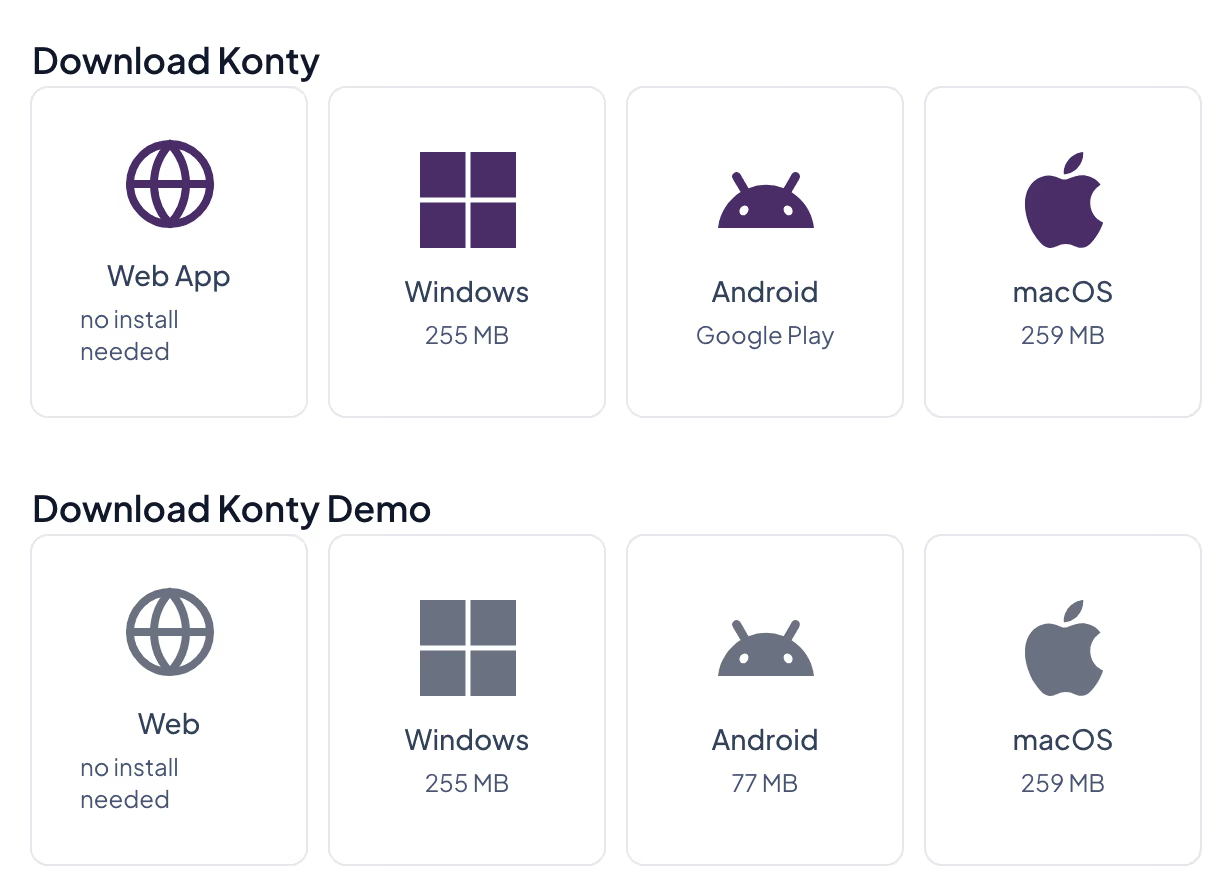
For work in your venue, use the tiles in the Download Konty section
Which app on which device
| Device | What it is for | What you install |
|---|---|---|
| Computer with Windows or macOS | Cash register: issuing receipts, printers, working offline | Konty for Windows or macOS |
| Android POS terminal or tablet | Cash register, often with a built-in printer | Konty for Android (Google Play) |
| A waiter's Android phone or tablet | Taking orders at the table (hospitality) | Konty for Android (Google Play) |
| Screen in the kitchen | Kitchen display (hospitality) | Konty for Windows, macOS or Android |
| Any computer | Administration and reports; sales when the venue has one shared cash register | Nothing — open pos.konty.com in a browser |
How the additional devices (waiters' phones, the kitchen display) connect to your account is described on the Devices page.
Windows
- On the download page, in the Download Konty section, click Windows and save the installation file.
- Run the downloaded file. If Windows asks you to confirm that the program may run, confirm.
- The app is installed and a Konty shortcut appears on the desktop.
- On the first start, Windows asks whether Konty may use the network. Tick Private networks and click Allow access.
Tip
Network access lets the waiters' phones and the kitchen display connect to the register over the local network. If you do not allow it, the register still issues receipts, but the other devices in the venue cannot connect to it.
macOS
- On the download page, in the Download Konty section, click macOS.
- Open the downloaded
.dmgfile and drag the Konty icon to the Applications folder. - Start Konty from the Applications folder.
Android
- On the device, open the download page and click Android (Google Play) in the Download Konty section, or search for Konty in the Google Play store.
- Tap Install.
The app runs on Android 8.0 and newer. If the app shows "This device's Android System WebView is too old for Konty." when it starts, update the Android System WebView app in the Google Play store, then start Konty again.
Working in the browser
The Web App tile ("no install needed") opens Konty in your browser, at pos.konty.com. In the browser you can:
- work in Administration — items, users, reports, settings — from any computer;
- sell and issue receipts, when your venue works with one cash register shared by all its devices. A new account is set up this way. If your venue has several cash registers, the browser opens Administration only — sell in the installed app.
Warning
The browser cannot use the printers in your venue: in the printer setup it shows "No printers detected". Receipts and reports are printed through the browser's print window, where you choose a printer connected to the computer. For a register with a receipt printer and bar and kitchen printers, install the app on Windows, macOS or Android.
Demo version
The Download Konty Demo section contains a demo version of the app, for getting to know it and for training. Receipts issued in the demo version are not real. For work in your venue, always install the app from the Download Konty section.
Updating the app
- Windows and macOS — the app checks for a new version by itself and downloads it in the background. When the download is finished, the message "A newer version of the App is available." appears. Click Update Now — the app closes, installs the new version and starts again. If you click Later, the new version is installed the next time you close the app.
- Android — the Google Play store updates the app, like your other apps.
Next step
- No account yet: Registration and First Setup.
- You already have an account: Log In.